
Interface overview
Find the toolbar, viewport, render controls, status details, object list, material list, and animation controls.
Applies to Tridi Viewer 1.2.1 public beta. Release notes
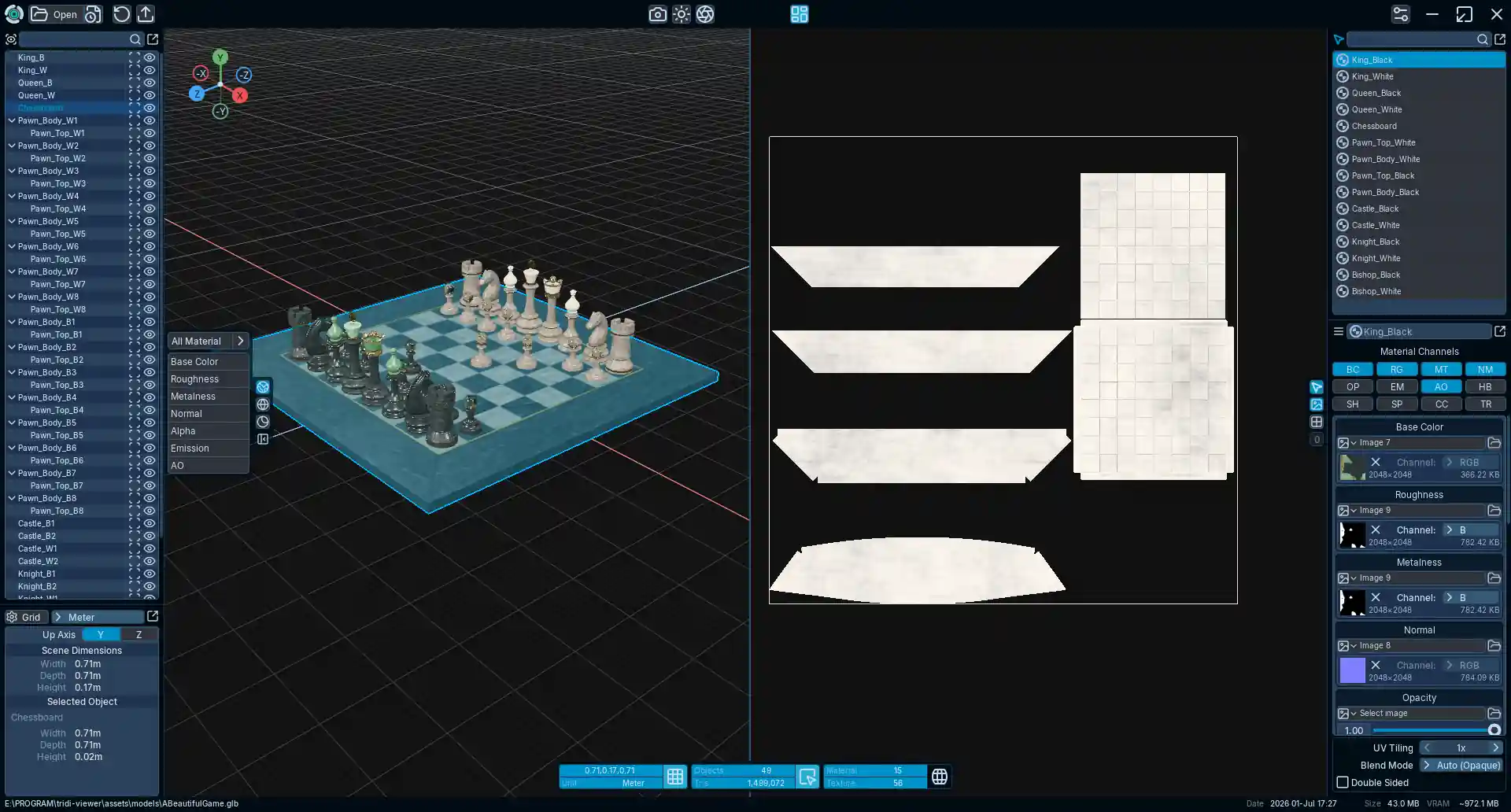
Main areas
- Toolbar
- Open or reload a model, save a render image, adjust Environment Settings and Post Processing, export to GLB/glTF/OBJ, toggle UV View, or open Preferences.
- Workspace
- Navigate, select, and inspect the one current model in the 3D View. Enable UV View from the toolbar to inspect UV0 or UV1 beside it for the current session.
- Render controls
- Switch between Default Display, Solid Wireframe, Matcap Display, and the configurable render-channel panel. Press C to cycle the visible channels.
- Status bar
- Shows file, dimensions, object, triangle, material, and texture information. Dimensions, Objects, Materials, and Material Properties can dock on the left or right with resizable widths or detach into floating panels.
- Playback bar
- Appears when the active model has a supported animation clip.